

Setup
90 MB
A regular Windows installer. Adds InstallerClean to your Start Menu and Programs list so you can find it again later. Run it and follow the prompts.
Download InstallerClean-2.3.0-setup.exeSHA-256It caches Windows Installer (.msi) files. Every app installed this way leaves a copy of its installer here, plus another copy for every patch on top. On a long-running machine that adds up to tens of gigabytes, sometimes a lot more.
InstallerClean asks Windows which of those files are still needed and offers to delete the rest. It's free and safe (see below).
Download the portable exe, run it, press Delete, confirm. That's it. It takes seconds and everyone on Windows might as well run it once.
Why this exists
C:\Windows\Installer is where Windows keeps a copy of every .msi installer that has run on the machine, plus the .msp patches that updated each one. The copies stay around because Windows needs them to repair, update or uninstall the software later. The folder is hidden by default and only administrators can open it.
Apps that come in via Windows Installer leave one.msi per install and another .mspfor every patch on top. Office, Adobe Reader, runtimes like Visual C++ Redistributables and most enterprise software work this way. Patches don't delete their predecessors. Uninstalling the software doesn't clear them out either. Windows itself never goes in to tidy.
On most machines no one notices the folder is there. On a machine that's been running for a few years, especially one with a lot of .msi- based software, it can quietly pass 100 GB. Disk Cleanup leaves it alone; DISM targets a different folder (WinSxS). The only safe way to clean it is to read the Windows Installer database itself and act on what it says, and no built-in tool does that.
If you've searched for help with the folder you know how it usually goes. Someone asks how to clean it. They're told to run Disk Cleanup. They try it. It clears 600 MB, none of it from the 180 GB folder (because Disk Cleanup doesn't touchC:\Windows\Installer). The thread goes quiet.
All of the threads I've found tend to recommend the same things which don't solve the problem, and then go dead.
Or they're told not to touch it at all. In onethread, someone with a 60 GB Installer folder was told "don't mess with it." When they asked what they should do instead, the reply was"I just told you."
The official Microsoft stance is leave it the hell alone.
The advice is right if it means "don't delete files in here by name and date". The folder is owned by Windows; going in blind really can break the way Windows updates and removes software. The advice is wrong if it means "there is nothing safe to remove". Windows already keeps a database of what's still needed and what isn't. InstallerClean reads that database and only flags installers for software you've already uninstalled, and patches that newer ones have replaced. Everything in current use stays where it is. Move sends the rest to a folder you choose; Delete sends them to the Recycle Bin. Nothing is touched until you confirm.
The pain is loudest from sysadmins. Oner/sysadmin thread describes Adobe Acrobat as the recurring culprit:
I've had this issue on countless computers. The drive is full, I check what is taking up the space, and it's always a 50 GB+ Windows Installer folder, sometimes in the 100s.
In the same thread, ten admins ask in the replies and DMs for the PowerShell script another commenter mentioned having written. That script never gets shared. The pattern is consistent across every thread: real demand, no maintained tool, the conversation peters out. InstallerClean is the maintained tool.
How it works
Double-click the exe, click Delete (or Move), confirm.
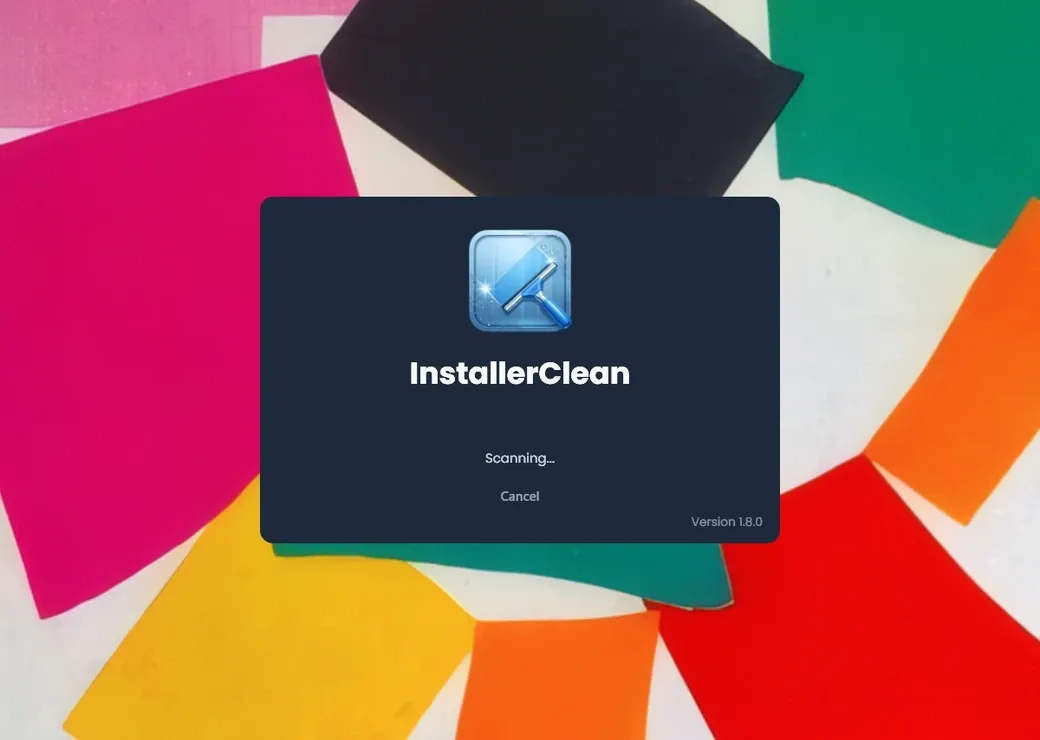
The scan runs as soon as the app opens. Takes seconds.
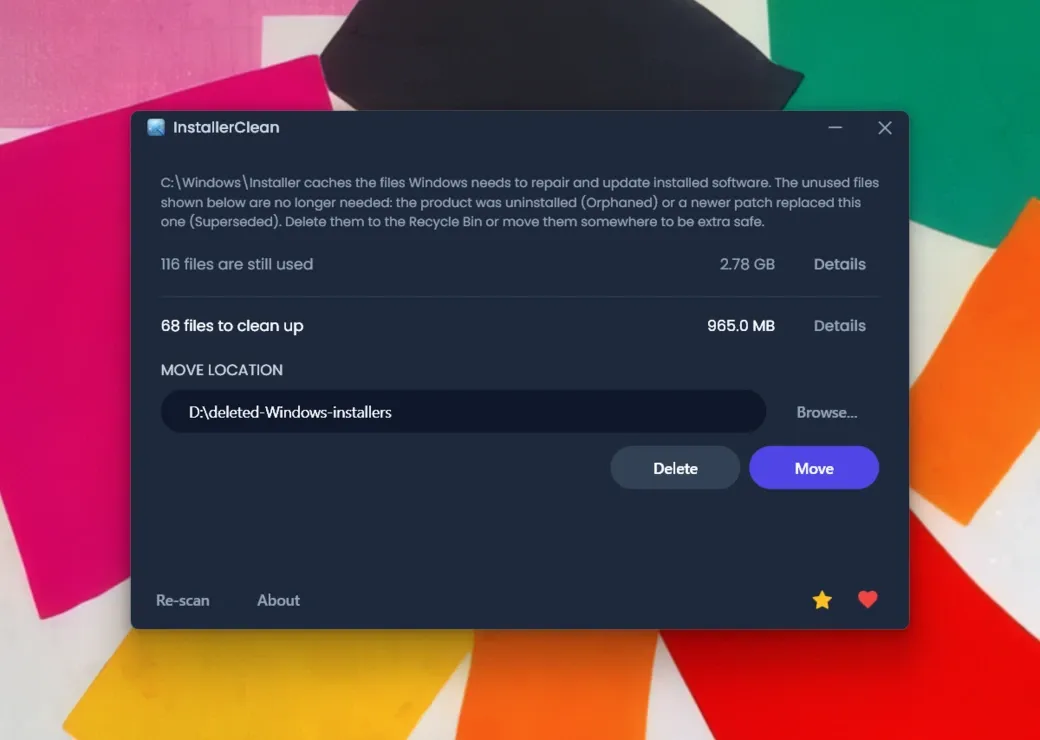
The main window shows the total: how much is still in use, and how much is removable. You don't need to, but you can click Details for the per-file list of both groups, with the publisher, product name and signing certificate pulled from each file's installer metadata.
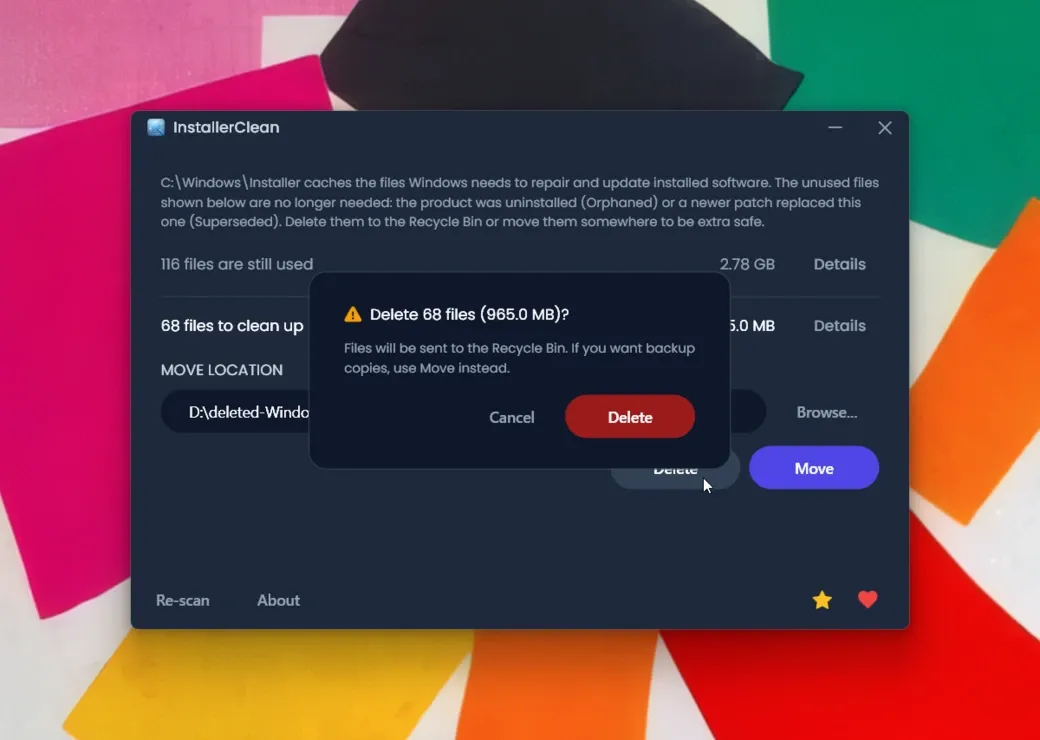
Delete sends the files to the Recycle Bin so you can restore from there if anything breaks. Move puts them in a folder you choose, so you can keep them a while and verify nothing breaks before deleting for good. A confirmation dialog shows the count and size before either runs.
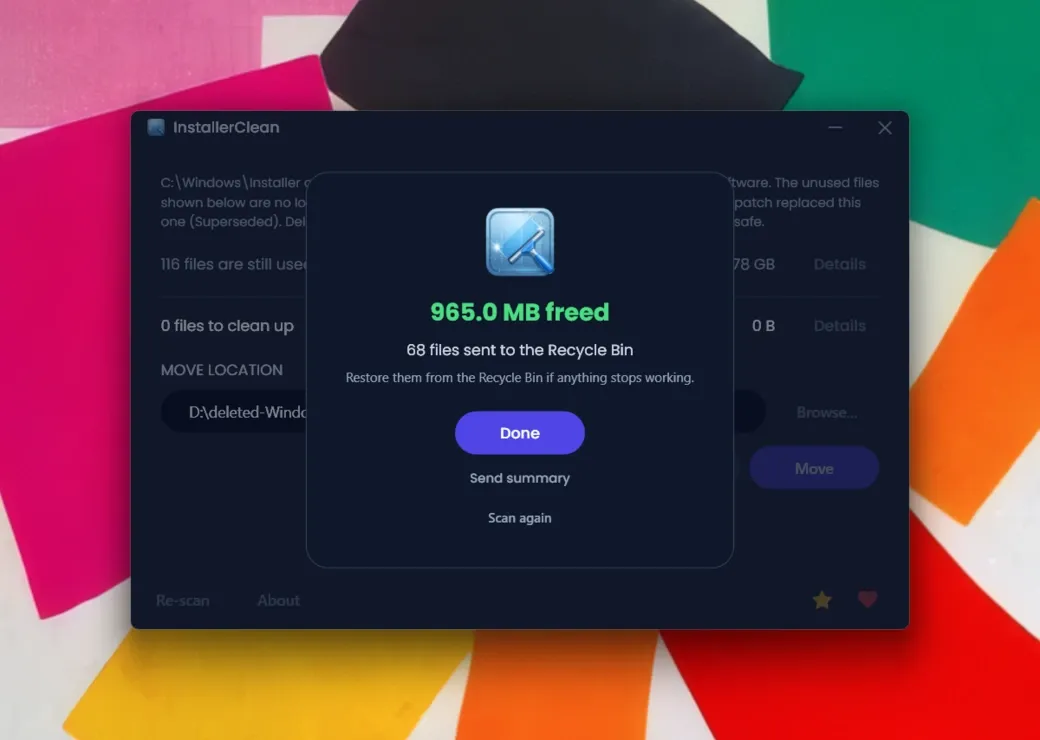
You see how much was freed. After a successful clean there's an optional Send button. It appears once per machine, ever: a short summary so I can tell whether IC is actually helping anyone.
Trust
Yes. The app only flags files that the Windows Installer database itself reports as no longer needed; it doesn't guess based on filenames or dates. Delete sends them to the Recycle Bin so you can restore from there; Move puts them in a folder you choose so you can verify nothing breaks before deleting for good. Nothing happens until you confirm.
The app is unsigned because an EV signing certificate costs hundreds of pounds a year and this project is donations-funded. The items below are what you can check yourself.
~12,300
downloads across GitHub, MajorGeeks and Softpedia, no reports of harm
51
GitHub stars since the first release in February 2026
7 / 7
MajorGeeks voters rated it Geek-o-licious (their top rating)
As of 28 May 2026. Softpedia and MajorGeeks both run their own scans before listing.
Both builds pass VirusTotal cleanly across every engine. The links below open the scans so you can re-check whenever.
If you've heard of PatchCleaner
PatchCleaner by John Crawford is the other tool that does this. It's free and it works. Three things to know.
Ten years without an update. Thedeveloper's own page lists 3/3/2016 as the release date for v1.4.2, the current version.
So nobody has been able to pick it up and keep it going. You can't read what it does, you can't fix what it gets wrong, you can't fork it.
And for a fair reason: PatchCleaner's orphan check misread Adobe's.msp patches, and deleting them broke Adobe's updates, so it ships with a filter that excludes them. You can switch the filter off, but out of the box, on machines where Adobe Acrobat has piled up patch history, that can be most of the cache:
I've downloaded Patchcleaner to delete the orphaned .msp files... 29 GB of the files are "excluded by filters", so Patchcleaner doesn't seem to help.
HeatherBunny1111, r/techsupport
InstallerClean reads the Windows Installer patch-state instead of guessing, so it can tell which Adobe patches have genuinely been superseded and clears those safely, with no blanket filter.
Download
All three pass clean on every VirusTotal antivirus engine.
90 MB
A regular Windows installer. Adds InstallerClean to your Start Menu and Programs list so you can find it again later. Run it and follow the prompts.
Download InstallerClean-2.3.0-setup.exeSHA-256135 MB
No install, no uninstaller. Run it, use it, close it.
Download InstallerClean-2.3.0-portable.exeSHA-256Windows SmartScreen will say "Unknown publisher" on first run. Click More info, then Run anyway. This is normal for unsigned open-source software, and the VirusTotal scans above are the cross-check.
winget install NoFaff.InstallerClean

scoop bucket add no-faff https://github.com/no-faff/scoop-bucket
scoop install installercleanReal reports
What's in there to clear varies a lot by machine: one that's run years of updates and heavy software like Acrobat, Office or big dev tools can be holding tens of GB.
| Outcome | Share | Smallest | Median | Largest |
|---|---|---|---|---|
| Nothing to remove | 38% | - | - | - |
| Freed space | 62% | 0.1 GB | 17 GB | 462 GB |
Common questions
C:\Windows\Installer down so only administrators can touch it. Reading what is in the folder, asking Windows what is still needed and moving or deleting files all need Administrator permission. There is no other way.C:\Windows\Installer by some other means (an old cleaner, a manual delete), the fix is usually simple: download the installer for that program from its maker and run it over your existing install, using the version you have if you can. That usually puts the file back and leaves your settings alone. It is not always that simple, though, and Microsoft is more cautious in its own guidance, which the README lays out in full.C:\Windows\WinSxS is a different folder with different rules and InstallerClean does not touch it. From an elevated command prompt, Dism /Online /Cleanup-Image /StartComponentCleanup is the supported way to clean it.installerclean-cli.exe for headless use. It returns distinct exit codes per outcome: 0 for full success, 2 for partial success, 1 for hard failure, 75 for transient conditions (another InstallerClean is already running, or Windows Installer reports a pending transaction; safe to retry), and 130 for Ctrl+C. The CLI also writes a per-run summary to the Windows Application event log and respects the same single-instance mutex as the GUI.If the folder has grown big on your machine you're in the right place. If it hasn't, the scan tells you that quickly and you're done. It takes less than a minute either way. Free, open source, clean on VirusTotal across every engine. Some machines have nothing in there to free; others have a few GB, tens of GB, sometimes more. One run in May 2026 freed 327 GB.
Download for WindowsDownload, run, read the result, click Delete or Move.
That's it.
If InstallerClean helped, consider supporting No Faff →